
Building a smart home used to mean picking a side. Buy into Amazon Alexa and your Apple-loving family members were out of luck; commit to Google and half the gadgets on the shelf wouldn’t talk to your hub. In 2026, that wall has largely crumbled — and the reason is a pair of technologies you’ll see printed on almost every smart home box: Matter and Thread.
This guide explains what those terms actually mean, how to pick your first hub, and which devices to buy first so you don’t waste money on gear that will be obsolete in a year.
Matter and Thread, explained in plain English
Matter is a universal smart home standard backed by Apple, Google, Amazon, Samsung, and hundreds of other manufacturers. Think of it as a common language: a Matter-certified smart bulb will work with Apple Home, Google Home, Amazon Alexa, or Samsung SmartThings — whichever you choose, now or later.
Thread is the network many Matter devices use to communicate. Unlike Wi-Fi, Thread is a low-power mesh network: every mains-powered Thread device (a plug, a bulb) acts as a repeater, so the more devices you add, the stronger and more reliable your network becomes. For battery-powered products like sensors and locks, Thread is far more power-efficient than Wi-Fi.
The practical takeaway: when buying new devices in 2026, prioritize products with the Matter logo, and prefer Thread over Wi-Fi-only for battery-powered gear.
Step 1: Choose your ecosystem (it matters less than it used to)
You still need one main app to control everything. Here’s the honest breakdown:
- Amazon Alexa — works with more devices than any other platform, from budget smart plugs to high-end security systems. Best if you want maximum choice at every price point.
- Google Home — Google Assistant remains the most accurate and capable of the major voice assistants. Best if voice control quality is your priority.
- Apple Home — the best choice for iPhone users, with strong privacy defaults and seamless integration with Apple devices. Matter now fills the gaps where Apple’s device catalog used to fall short.
- Samsung SmartThings — a strong pick if you have older Zigbee or Z-Wave devices, since it supports legacy protocols alongside Matter.
Step 2: Get a hub with a Thread border router
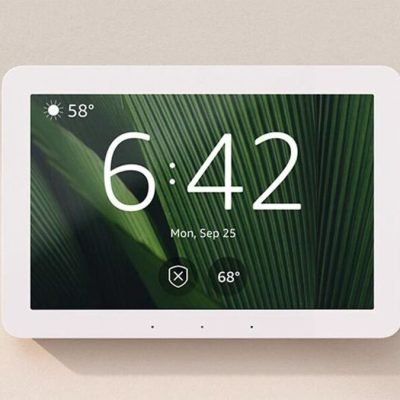
Thread devices need a Thread border router to connect to your home network. The good news: you may already own one. Devices that double as border routers include the Apple TV 4K (2022 and later), HomePod and HomePod mini, Google Nest Hub (2nd gen) and Nest Hub Max, Amazon Echo (4th gen), and the SmartThings Station.
If you’re starting from zero, a HomePod mini (for Apple users) or a Nest Hub or Echo (for everyone else) gives you a voice assistant, a Matter controller, and a Thread border router in one affordable box.
Step 3: Buy your first devices in the right order
A common beginner mistake is buying a drawer full of sensors before the network can support them. The recommended order:
- Update everything first — your phone, apps, router firmware, and hub.
- Set up the hub / Matter controller and confirm the Thread border router is online.
- Add smart plugs and bulbs — cheap, mains-powered, and they strengthen your Thread mesh.
- Then add battery devices — door/window sensors, motion sensors, smart locks.
- Finish with the big-ticket items — video doorbells, cameras, robot vacuums, thermostats.
What to expect in 2026
Matter has matured to the point where it’s genuinely practical for everyday users. IKEA alone has launched more than twenty affordable Matter-over-Thread products, and virtually every major brand now ships Matter compatibility as a baseline feature. Setup that used to require three apps and a prayer is now usually a QR-code scan.
That doesn’t mean everything is perfect — some advanced device features still require the manufacturer’s own app, and older Wi-Fi-only gear won’t magically become Matter-compatible. But for anyone starting fresh in 2026, the path is clearer than it has ever been: pick your ecosystem, get a border router, buy Matter-certified devices, and build outward from the hub.
In upcoming reviews we’ll look at specific devices worth your money — starting with smart locks and robot vacuums.