
About this review: Build Smart House does not test products in-house. This is a summary of published testing and reviews from independent labs and publications, which we name throughout.
If you’re replacing your front-door deadbolt with a smart lock in 2026, one name keeps topping the tested rankings: the Yale Assure Lock 2. Reviewers at Consumer Reports, Tom’s Guide, Engadget, and TechRadar have all put it through weeks of real-world use, and the consensus is clear — it offers the best combination of security, features, and smart home compatibility for most homeowners. Here’s why.
Design and versions
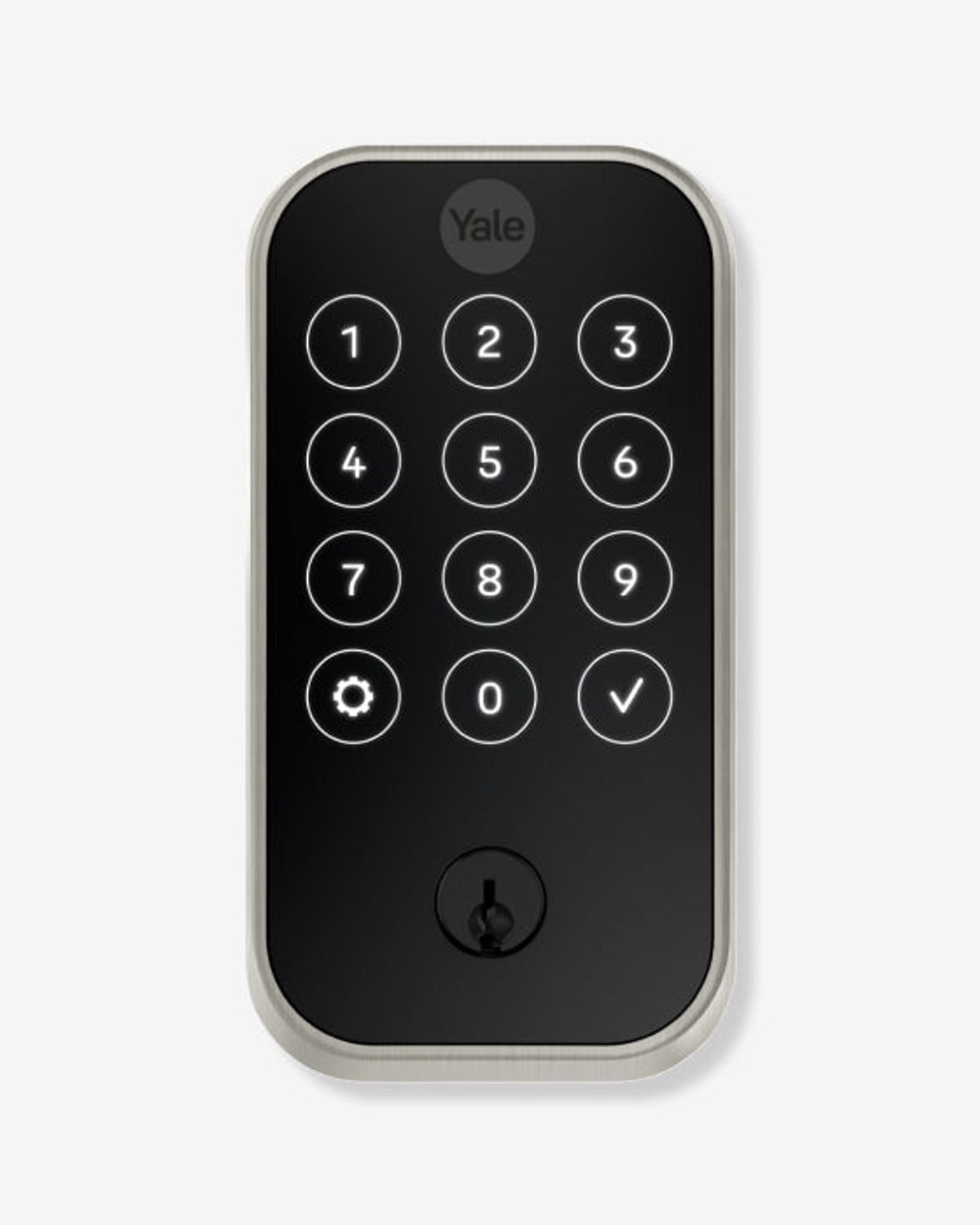
The Assure Lock 2 isn’t one lock but a small family. It comes in four versions — keyed touchscreen, keyless touchscreen, keyed keypad, and keyless keypad — and three finishes: black suede, oil-rubbed bronze, and satin nickel. Whether you want a sleek glass touchscreen or physical buttons, and whether you want a backup keyhole or a fully keyless design, there’s a configuration for you.
Build quality is solid: it’s a proper deadbolt with an ANSI/BHMA Commercial Grade 2 rating, powered by four AA batteries.
Pricing
- Keypad model: $159 (about $239 with the Wi-Fi module)
- Touchscreen model: $179 (about $259 with Wi-Fi)
That positions it in the mid-range — noticeably cheaper than premium rivals like the Level Lock Pro, while offering more connectivity options than most budget locks.
Smart home connectivity: the real selling point
Out of the box, every Assure Lock 2 includes Bluetooth and Apple Home support built in. From there, Yale sells snap-in modules that add Wi-Fi, Z-Wave, or Matter — so the lock can grow with your smart home instead of locking you into one ecosystem. In a year when Matter compatibility is the smartest box to tick, this modular approach is a genuine advantage.
Everyday features
The Yale Access app supports up to 250 PIN codes, so you can give family members permanent codes and guests or cleaners temporary ones. Other highlights:
- Auto-lock and auto-unlock — the door locks itself behind you and can unlock as you approach with your phone.
- Door sensor — tells you whether the door is actually open or closed, not just locked. Few competitors offer this.
- Access log — see exactly when the door was locked or unlocked, and by whom.
- Shared access — grant app-based control to friends and family, with limits you define.
Installation
If you’ve never installed a lock, this is one of the friendliest experiences available. Reviewers consistently praise the Yale Access app’s setup process, which walks you through every hardware and software step with videos and diagrams. If your door already has a standard deadbolt, expect 15–30 minutes with a screwdriver.
The downsides
No product is perfect. The Wi-Fi module is an extra cost that pushes the real-world price toward $240–260, and Wi-Fi connectivity draws more battery than Bluetooth alone. TechRadar also called the design “generic but reliable” — this is not a statement piece like the invisible Level Lock. And if brute-force resistance is your absolute top priority, Consumer Reports’ testing gives the edge to the keyless Kwikset Obsidian.
Verdict
9/10. The Yale Assure Lock 2 does everything most people need a smart lock to do, does it reliably, and — thanks to its modular Matter/Wi-Fi/Z-Wave support — won’t be orphaned when your smart home ecosystem evolves. For most homeowners in 2026, this is the smart lock to buy.
Buy it if: you want broad smart home compatibility, guest codes, and easy installation at a fair price.
Skip it if: you want an invisible lock (Level Lock Pro) or maximum pick/drill resistance (Kwikset Obsidian).